Picture 1990. Excel is catching on, and people start selling tables. Simple tables, complex tables, beautiful tables. Some sellers have real expertise in a field and access to data, so they sell a table wired to numbers they have parked in a hidden tab. They call themselves Table Engineers.
That never happened, because Excel was the tool and not the product. It is happening now around AI, and here is my unpopular opinion: most of what is being sold to you today as an AI product is a table. I don’t sell tables. I teach Excel.
Run the thought experiment to the end
Keep going with the scenario. Excel improves year over year, the formulas get stronger, the interface gets friendlier, and suddenly anyone who can type builds for themselves the table they used to buy. The market doesn’t vanish overnight. It just stops being a market for tables.
Then the next stage arrives: building tables gets so easy that people build tables that build other tables. And eventually someone builds a table that generates Excel.
By that point none of the early tables look worth the money. Not because they didn’t work — they worked fine. Because their value never sat in the table itself, and the sellers didn’t know that.
The translation to now
| 1990 | Today |
|---|---|
| Excel | The model — Claude, ChatGPT, Gemini |
| A table | A custom GPT, an agent, a wrapper, an “AI solution for business” |
| A beautiful table | A chat interface with a logo on it |
| Table Engineer | The role built around operating the tool |
| The hidden tab | The data, the systems, the permissions |
The left column is a scenario that never happened. The right column is happening now, and at a completely different speed — Excel improved slowly, and the models don’t take anything like that long.
This is why I get cautious with organisations that come to me after buying a subscription to a tool that does one thing. That one thing is usually a long prompt with an interface around it, and it is precisely the kind of thing models are getting good at producing on demand.
The hidden tab is the only part that holds
Notice that one category in the 1990 scenario behaves differently. The sellers with genuine domain expertise and access to data were not really selling a table. They were selling the hidden tab, and the table was the packaging.
Access to data doesn’t get cheaper when the tool improves. Your organisation’s records, the systems they live in, the permissions to reach them, and the professional judgement that knows which of them even matter — all of that stays exactly where it was. What gets cheap is the wrapper.
That also happens to be an accurate description of what I actually do, which makes this post less noble than it sounds. I don’t sell an organisation a tool. I connect the model to the systems it already has and teach the staff to drive it. The connection is the hidden tab, and it is worth something precisely because it is specific to that organisation. The prompt running on top of it is worth nothing, and I don’t pretend to sell it.
The table that builds tables
The stage where tables produce other tables is no longer hypothetical. You can ask a model to build you a tool and it builds it — including its own operating instructions, including tests. It gets fast enough that I now find rebuilding a tool easier than maintaining a version I bought a while back.
And when something is cheap to produce and expensive to hold, it isn’t a product. It’s output.
In the picture: an operating system inside a spreadsheet
To test the claim on myself, I built the most ridiculous thing I could think of into an Excel workbook: an operating system.
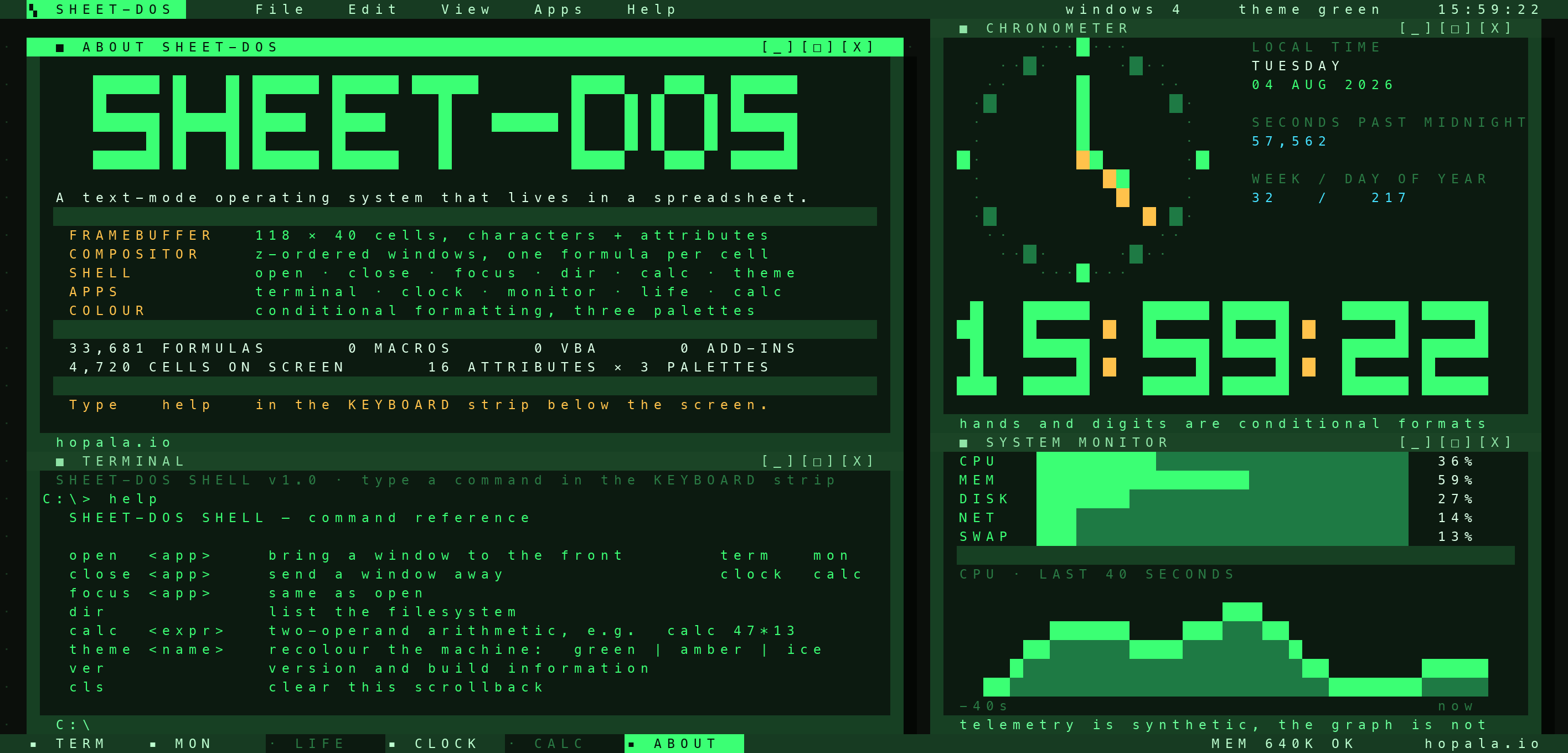
SHEET-DOS is a 118 by 40 character text display — 4,720 cells — with a menu bar, a taskbar, six windows that overlap each other and cast drop shadows — four of them open at boot — a shell that takes commands typed into a cell, an analog clock, a calculator and Conway’s Game of Life. 33,681 formulas. Zero macros, zero VBA, zero add-ins.
The architecture is the argument. The screen is built the way real text-mode hardware is: rows 3 to 42 are the character buffer, and rows 103 to 142 are the attribute buffer — the colour of each cell, exactly one hundred rows below it. Forty-eight conditional formatting rules read the second buffer and paint the first, and that is the entire display driver. Typing theme amber adds 20 to every attribute, a different set of rules takes over, and the machine changes colour without a single character moving.
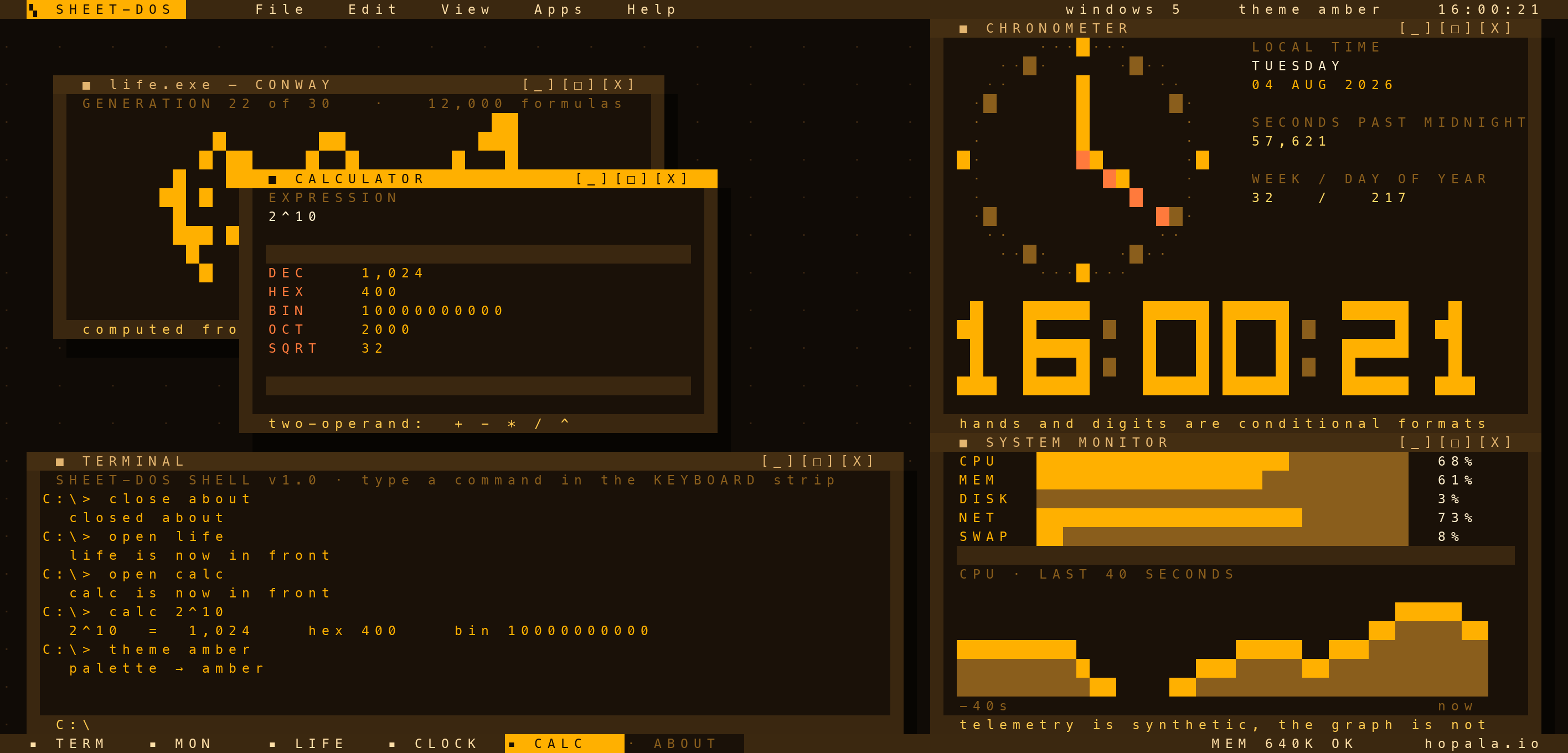
theme amber, which repainted every cell without moving a character. The shell is fourteen ordinary cells, and the kernel formulas that fold that command history into state.The windows are rows in a table, not shapes and not text boxes. Each one has an x, a y, a width, a height, an open flag and a z-order, and every cell on screen works out for itself which of the windows covering it is on top. A cell no window covers looks one row up and one column to the left, and if a window is there, this cell is its drop shadow.
The detail I like most is the ratio. The kernel — the window table, the command parser, the timebase, the scrollback — is 288 formulas. Everything else, all thirty-three thousand of it, is screen and applications.
Which brings it back to the argument: I did not write 33,681 formulas by hand. I wrote a description of what I wanted, and the tool built the program that generates the file, in a day. That is the table that builds tables.
The only part that genuinely took work was knowing whether it worked at all, because there is no Excel on this machine. So there is a test rig too: every formula is checked that it parses, every name that it resolves, and the shell and the screen get built as small workbooks and run through a formula engine that asserts the machine ended up in the state it should be in. That is the part that took judgement, and it is also the part that doesn’t come in the box when you buy a finished tool.
So what is actually worth money
Not the table. Knowing how to drive Excel, and access to whatever sits in the hidden tab.
If you are considering buying an AI tool, the only question worth asking is what exactly you are buying. If the answer is “it knows how to do X”, that’s a table, and it’s the kind of thing you’ll probably end up producing yourself. If the answer is “it has access to data I don’t have” or “it’s wired into my systems”, that is something else, and it is worth paying for.
Sorry for the unpopular opinion, particularly coming from someone who does this for a living. If you want to test it against a real case in your own organisation, this is how I work.